
SystemMetricsGuide
Welcome to SystemMetricsGuide, your independent online resource dedicated to monitoring macOS system performance. Explore in-depth articles and practical guides on CPU temperature, activity monitoring, and system statistics analysis to keep your Mac running smoothly and efficiently.

About us

SystemMetricsGuide is a trusted, independent platform committed to providing comprehensive educational content about macOS system monitoring and performance optimization. Our expert-curated articles and guides cover essential topics such as CPU temperature management, activity monitoring, and detailed analysis of system statistics. We aim to empower Mac users with the knowledge and tools necessary to understand and improve their device's performance. Whether you're a casual user or a tech enthusiast, SystemMetricsGuide offers clear, accessible insights to help you maintain your macOS environment in optimal condition.
Understanding macOS System Monitoring Basics
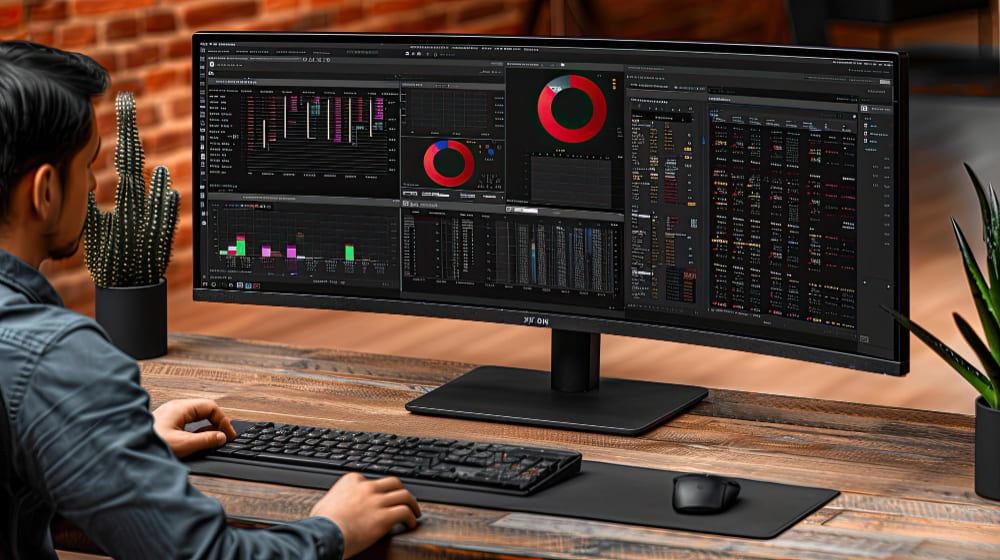
SystemMetricsGuide is an independent resource designed to help users better understand how their macOS environment is performing. Monitoring system performance isn't just a task for experienced users, but a practical skill that allows anyone to maintain stability, improve efficiency, and extend the lifespan of their device. Our goal is to simplify the interpretation of system data. Many users see numbers like CPU load, memory usage, or background activity but aren't sure what they actually mean. SystemMetricsGuide bridges this gap by providing explanations, practical examples, and simple recommendations.
Why System Monitoring Matters
Every macOS device runs multiple processes simultaneously. Without visibility into these processes, it becomes difficult to understand why a system slows down or behaves unexpectedly. System monitoring helps you:
- Identify resource-heavy applications
- Track real-time CPU and memory usage
- Detect unusual system behavior
- Maintain consistent performance over time
By learning how to read system data, users can make informed decisions rather than relying on guesswork.
CPU Monitoring and Temperature Insights
The central processing unit (CPU) is responsible for executing most tasks. Monitoring CPU activity gives insight into how intensively your system is working.
Key CPU Metrics to Watch
- Usage Percentage: Shows how much processing power is currently in use
- Core Distribution: Indicates how workload is spread across cores
- Temperature Levels: Helps assess whether the system is operating within safe limits
Practical Tips
- Close unused applications that consume high CPU resources
- Avoid running too many background tasks simultaneously
- Keep ventilation areas unobstructed to support cooling
Educational tools like istat can help visualize CPU activity and temperature trends in a simple interface, making it easier to interpret system behavior over time.
Understanding Activity Monitoring
macOS includes built-in tools that display active processes and their resource usage. Learning how to interpret this data is essential for managing performance.
What to Look For
- Process List: Shows all running applications and background tasks
- CPU Impact: Highlights which processes are consuming the most power
- Energy Usage: Provides insight into efficiency and battery impact
How to Use This Information
- Sort processes by CPU or memory usage to identify heavy tasks
- Quit processes that are no longer needed
- Observe patterns when performance drops
Combining built-in monitoring with educational tools like istat can provide a clearer overview, especially for users who prefer visual summaries.
Memory Usage and System Efficiency
Memory (RAM) plays a crucial role in system responsiveness. When memory is used efficiently, applications run smoothly and transitions remain fast.
Key Memory Indicators
- Used Memory: Amount currently occupied by applications
- Cached Memory: Data stored for quick access
- Memory Pressure: A visual indicator of how efficiently memory is being utilized
Optimization Tips
- Limit the number of simultaneously open applications
- Restart applications that consume excessive memory over time
- Monitor memory pressure to avoid slowdowns
Using tools like istat can simplify memory tracking by presenting clear graphs and trends, helping users understand how usage evolves throughout the day.
System Statistics and Data Interpretation
System statistics provide a broader view of device performance. These metrics go beyond CPU and memory, covering disk activity, network usage, and system uptime.
Important Metrics
- Disk Activity: Measures read and write operations
- Network Throughput: Tracks data transfer rates
- System Load: Reflects overall workload on the system
How to Analyze Trends
- Look for consistent spikes that may indicate recurring issues
- Compare system load during different tasks
- Monitor long-term patterns rather than isolated moments
Educational platforms like SystemMetricsGuide often reference tools such as istat to demonstrate how these statistics can be visualized and understood more effectively.
Managing Resources and System Activity
Efficient resource management is key to maintaining smooth performance. Small adjustments can make a noticeable difference.
Best Practices
- Regularly review active applications and background processes
- Keep software updated to ensure compatibility and efficiency
- Organize startup items to reduce unnecessary load at launch
Monitoring Habits to Develop
- Check system activity during slowdowns
- Observe how new applications affect performance
- Use monitoring tools periodically rather than constantly
With tools like istat, users can build awareness without needing deep technical knowledge, making system monitoring more approachable.
Building a Consistent Monitoring Routine
Consistency is more important than complexity. Establishing a simple routine helps maintain system performance over time.
Suggested Routine
- Review CPU and memory usage daily
- Check system statistics during intensive tasks
- Identify and address recurring performance patterns
- Adjust usage habits based on observed data
This approach allows users to stay informed without becoming overwhelmed by technical details.
Final Thoughts
System monitoring on macOS is not just about numbers—it is about understanding how your device responds to different tasks. By learning to interpret CPU activity, memory usage, and system statistics, users can maintain a stable and efficient environment.
Educational tools such as istat play a valuable role in this process by presenting complex data in a clear and accessible way. Combined with consistent habits and basic knowledge, system monitoring becomes a practical and useful skill for everyday use.
Expert Knowledge Access detailed and accurate information created by experts familiar with macOS system metrics and performance nuances.
Comprehensive Guides Find step-by-step tutorials covering a wide range of monitoring tools and techniques tailored for macOS users.
User-Friendly Content Enjoy clear and easy-to-understand explanations designed for users of all technical levels.
Up-to-Date Information Stay informed with regularly updated content reflecting the latest macOS versions and system monitoring improvements.
Frequently Asked Questions
Our Partners